
Make your nonprofit's savings work harder
Every dollar matters when you're working to make a difference. With a Solarity nonprofit money market account, your organization can earn dividends on its savings while keeping funds accessible for programs, operating expenses and future needs.
Created to meet the unique needs of nonprofits, this account offers tiered dividends that reward higher savings balances, along with the flexibility to access your money when you need it.
Put your resources to work and help your dollars go further.
You might also like:


Nonprofit Business Checking
Keep your organization's everyday finances running smoothly with a checking account that earns monthly dividends and offers convenient tools to manage your money.


Business certificates
Have funds you won't need right away? A business certificate can help your nonprofit grow its savings with a fixed-term account and the security of federally insured principal.

Everything you need to know about nonprofit money market accounts


Put your savings to work
Earn monthly dividends based on your average daily balance, with higher dividend rates for higher balances.

Keep your funds accessible
Maintain easy access to your money so your organization can cover expenses, support programs and respond to unexpected needs.
Manage your money conveniently
Stay connected to your finances with 24/7 access through Online and Mobile Banking.*

Local support when you need it
Our knowledgeable team is here to help you manage your organization's banking needs and plan for what's ahead.
Banking that makes a difference
At Solarity, strengthening our communities is at the heart of what we do. From supporting local organizations and volunteering our time to investing in local businesses and families, we're committed to helping the communities we call home thrive.
When you choose Solarity for your nonprofit's banking needs, you're partnering with a credit union that believes in brighter futures for everyone.
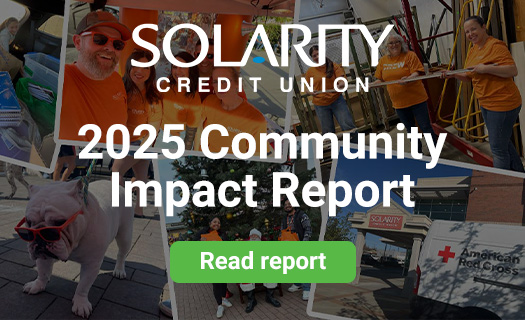
See the impact we're making. Explore our latest Community Impact Report to discover how we're investing in the people, organizations and communities we serve.
Compare business savings accounts
| Business savings | Business money market | Business certificates | |
|---|---|---|---|
| This account could be a good fit if... | You have moderate account balances and activity. | You keep a higher balance and want easy access to your money. | You want to lock in and guarantee a great rate for a fixed term. |
| Earns a monthly dividend | Yes | Yes | Yes |
| Minimum balance to earn dividend | $5 | $0.01 | $500 |
| Minimum opening deposit | $5 | $2,000 | $500 |
| Monthly service charge | $0 | $0 | $0 |
| Access to funds | Flexible – access the money in your account when you need it without penalty. | Flexible – make up to six withdrawals or transfers each month without penalty. | Limited – partial withdrawals of posted dividends are allowed before maturity without a penalty. |
Common questions about nonprofit money market accounts


Opening an account is easy, and you can do it at any one of our branch locations.
We’ll need documentation and information about you and your business to establish your business account with us. Please refer to our helpful business account documentation checklist to learn more about what documents are needed for your type of business entity.
Please allow one business day for us to process your account application. If you have any questions, don't hesitate to call us at 800.347.9222.
It's easy to become a member at Solarity! You qualify to join Solarity if one of the following applies:
- You live, work, worship or attend school in the state of Washington -or-
- You have a family member who is already a Solarity member -or-
- You are a member of the GoWest Foundation (you can easily join by becoming a “Friend of the Foundation” for a nominal donation)
Additional restrictions may apply. If you would like to learn more about becoming a Solarity member, get in touch with us! We’ll explain all the options and help you get started.
Follow the steps below to deposit your check using mobile deposit:
- After logging in to the mobile app, click the "Deposit" option at the bottom of your screen.
- Click the "Take photos" button at the top of the next screen.
- Using your phone or tablet's camera, snap a picture of the front and back of your check and follow the on-screen instructions to upload the photos.
- Use the "To" drop-down to select the account where you want to deposit the money.
- In the "Amount" box, enter the amount of the check you are depositing.
- Click "Continue" to complete the mobile deposit
Download our app in the App Store® or Google Play™ store.
It only takes a few moments to enroll in online banking. You will need to have a valid email address on file and answer a few questions to verify your identity.
If a valid email address is not on file, give us a call at 800.347.9222, and we'll be happy to assist you.
Click here: Enroll In Online Banking